
FLUID is a next-generation mobile platform technology that provides an unprecedented multi-device experience even with existing mobile apps. Typically, FLUID is a mobile operating system that can execute a single app across multiple devices without modifying the app code. More specifically, FLUID can split an existing mobile app into smaller UI units and distribute them to other smart devices, such as TVs and tablets, for concurrent multi-device execution.
This way, FLUID provides a pioneering approach beyond the traditional single-device paradigm that widely supports new, interesting, and useful cross-device use cases in a variety of multi-device environments while leveraging the existing smartphone app ecosystem.
Video-Chat Separation
You can move live chat window to a secondary device to chat without obscuring the TV screen.
Live Video-VOD Separation
You can move VOD to a secondary device to watch it regardless of the live streaming video.
Video-Video Separation
You can view two videos at the same time by moving one of them to a secondary device.
Tool Layout Separation
You can move a tool layout to a secondary device to improve productivity.
Vehicle Entertainment (RSE)
You can play games, watch videos, and search for information by coupling smartphones with vehicle entertainment.
Game (RPG, Racing)
It can extend the game screen on your personal smartphone to RSE (not simple mirroring), or expand it in the opposite direction.
Video (YouTube, KakaoTV)
It can extend the screen of video app installed on smartphones to RSE.
Sharing Login Info
It can perform RSE login using the login information stored on the smartphone, improving convenience and security.
Other Use Case Scenarios
Using Multiple Screens
- Cooking show: Watch chef, recipe, and cooking status at the same time
- Clothes shopping: Watch photos of clothes in a bigger monitor when shopping
- Document work: Work with multiple documents at the same time
Collaboration & Security
- Game: Playing collaborative games (E.g., Hidden catch)
- Remote control: Teaching elderlies how to use their smart phones remotely
- Security: Sharing specific data/part of the app to a group of people (E.g., Sharing specific email thread instead of the whole email app screen)
About Us
Technology Overview
Recent trends in mobile and IoT technologies in this era of 5G high-speed wireless communication have been hallmarked by the emergence of new display hardware and smart devices such as dual screens, foldable screens, smart watches, smart TVs, and smart cars. However, the current mobile app ecosystem is still confined to the conventional single-device paradigm in which users can employ only one screen on one device at a time. Due to this limitation, the real potential of multi-device environments has not been fully explored.
Team led by Professor Insik Shin from the School of Computing, in collaboration with Professor Steve Ko's group from the State University of New York at Buffalo, has developed mobile software platform technology named FLUID that can flexibly distribute the user interfaces (UIs) of an app to a number of other devices in real time without needing any modifications. The proposed technology provides single-device virtualization, and ensures that the interactions between the distributed UI elements across multiple devices remain intact.
Key Features & Applications
Multi-Device Interaction
This flexible multimodal interaction can be realized in diverse ubiquitous user experiences (UX), such as using live video streaming and chatting apps including YouTube, LiveMe, and AfreecaTV.
Smart Distribution
FLUID can ensure that the video is not obscured by the chat window by distributing and displaying them separately on different devices respectively, which lets users enjoy the chat function while watching the video at the same time.
Navigation Enhancement
The UI for the destination input on a navigation app can be migrated into the passenger's device with the help of FLUID, so that the destination can be easily and safely entered by the passenger while the driver is at the wheel.
5G Multi-View Support
FLUID can also support 5G multi-view apps – the latest service that allows sports or games to be viewed from various angles on a single device. With FLUID, the user can watch the event simultaneously from different viewpoints on multiple devices without switching between viewpoints on a single screen.
PhD candidate Sangeun Oh, who is the first author, and his team implemented the prototype of FLUID on the leading open-source mobile operating system, Android, and confirmed that it can successfully deliver the new UX to 20 existing legacy apps.
Team Photos
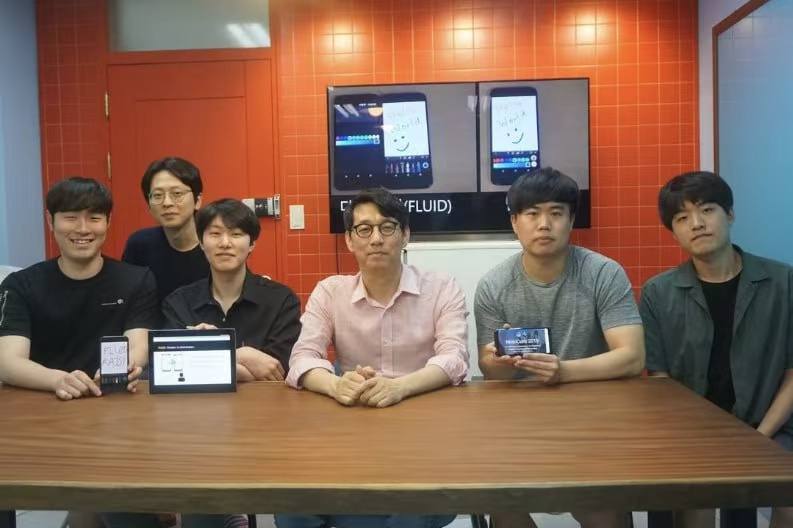
Research Team at School of Computing
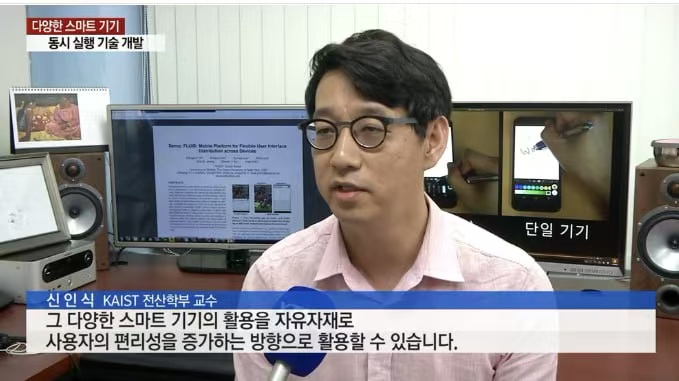
CEO Professor Shin In-sik Interview Session